A Cloudinary Media Library field for Laravel Nova.
bbs-lab/nova-cloudinary-field is a Laravel package for a cloudinary media library field for laravel nova..
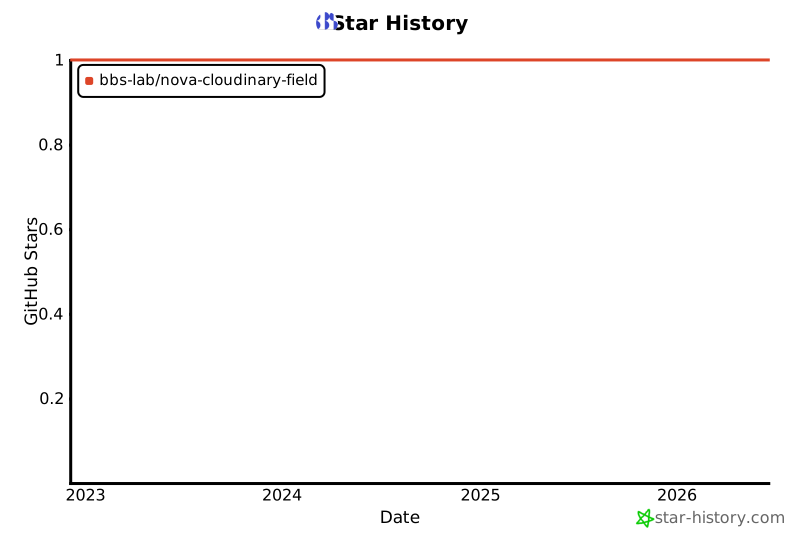
It currently has 1 GitHub stars and 19.271 downloads on Packagist (latest version v2.2.0).
Install it with composer require bbs-lab/nova-cloudinary-field.
Discover more Laravel packages by bbs-lab
or browse all Laravel packages to compare alternatives.
Last updated



A Cloudinary Media Library field and tool for Laravel Nova.

You can install the package via composer:
composer require bbs-lab/nova-cloudinary-field
The package will automatically register itself.
You can publish the config-file with:
php artisan vendor:publish --provider="BBSLab\CloudinaryField\CloudinaryFieldServiceProvider" --tag="config"
This is the contents of the published config file:
<?php

declare(strict_types=1);

return [

    'default' => [
        'cloud' => env('NOVA_CLOUDINARY_DEFAULT_CLOUD'),
        'username' => env('NOVA_CLOUDINARY_DEFAULT_USERNAME'),
        'key' => env('NOVA_CLOUDINARY_DEFAULT_KEY'),
        'secret' => env('NOVA_CLOUDINARY_DEFAULT_SECRET'),
    ],

];
You can use the BBSLab\CloudinaryField\Cloudinary field in your Nova resource:
<?php

namespace App\Nova;

declare(strict_types=1);

namespace App\Nova;

class BlogPost extends Resource
{
    // ...

    public function fields(Request $request)
    {
        return [
            // ...

            Cloudinary::make('Image'),

            // ...
        ];
    }

}
[!IMPORTANT] By default the field stores an array of data, you must cast your attribute as an
array.
When using the Cloudinary field on your Nova resource, you can tell the tool to allow multiple selection for your attribute.
By default, the tool will only allow single selection.
<?php

declare(strict_types=1);

namespace App\Nova;

use BBSLab\CloudinaryField\Cloudinary;

class BlogPost extends Resource
{
    // ...

    public function fields(Request $request)
    {
        return [
            // ...

            Cloudinary::make('Image')
                ->multiple(),

            // ...
        ];
    }

}
You can limit the number of selected files by using the limit method.
<?php

declare(strict_types=1);

namespace App\Nova;

use BBSLab\CloudinaryField\Cloudinary;

class BlogPost extends Resource
{
    // ...

    public function fields(Request $request)
    {
        return [
            // ...

            Cloudinary::make('Image')
                ->multiple()
                ->limit(10),

            // ...
        ];
    }

}
You can use the following methods to set some configuration on the field:
cloud(string $cloud): Set the cloud name.username(string $username): Set the username.key(string $key): Set the API key.secret(string $secret): Set the API secret.Also, you can use the configureUsing method to set the configuration on the field:
<?php

declare(strict_types=1);

namespace App\Nova;

use BBSLab\CloudinaryField\Cloudinary;use Laravel\Nova\Http\Requests\NovaRequest;

class BlogPost extends Resource
{
    // ...

    public function fields(Request $request)
    {
        return [
            // ...

            Cloudinary::make('Image')
                ->configureUsing(function (NovaRequest $request) {
                    return [
                        'cloud' => 'my_cloud',
                        'username' => 'my_username',
                        'key' => 'my_key',
                        'secret' => 'my_secret',
                    ];
                });

            // ...
        ];
    }

}
You may use the dependsOn method to conditionally display the field based on the value of another field. See the example below:
<?php

declare(strict_types=1);

namespace App\Nova;

use BBSLab\CloudinaryField\Cloudinary;
use Laravel\Nova\Fields\Boolean;
use Laravel\Nova\Fields\FormData;
use Laravel\Nova\Fields\ID;
use Laravel\Nova\Fields\Text;
use Laravel\Nova\Http\Requests\NovaRequest;

class BlogPost extends Resource
{
    // ...

    public function fields(NovaRequest $request): array
    {
        return [
            ID::make()->sortable(),

            Text::make('Title')
                ->sortable()
                ->rules('required', 'max:255'),

            Boolean::make('Has Image')
                ->sortable()
                ->rules('required'),

            Cloudinary::make('Image')
                ->rules('nullable')
                ->fullWidth()
                ->hide()
                ->dependsOn('has_image', function (Cloudinary $field, NovaRequest $request, FormData $formData) {
                    if ($formData->has_content) {
                        $field
                            ->show()
                            ->rules('required');
                    } else {
                        $field->hide();
                    }
                }),
        ];
    }
}
[!TIP] More information about dependent fields can be found in the official documentation.
The package also provides a tool to directly access the Cloudinary Media Library.
You may register the tool in your NovaServiceProvider:
<?php

declare(strict_types=1);

namespace App\Providers;

use BBSLab\CloudinaryField\NovaCloudinary;
use Laravel\Nova\NovaApplicationServiceProvider;

class NovaServiceProvider extends NovaApplicationServiceProvider
{
    // ...

    public function tools(): array
    {
        return [
            NovaCloudinary::make(),
        ];
    }
}


Please see CHANGELOG for more information what has changed recently.
If you discover any security related issues, please email [email protected] instead of using the issue tracker.
Please see CONTRIBUTING for details.
The MIT License (MIT). Please see License File for more information.