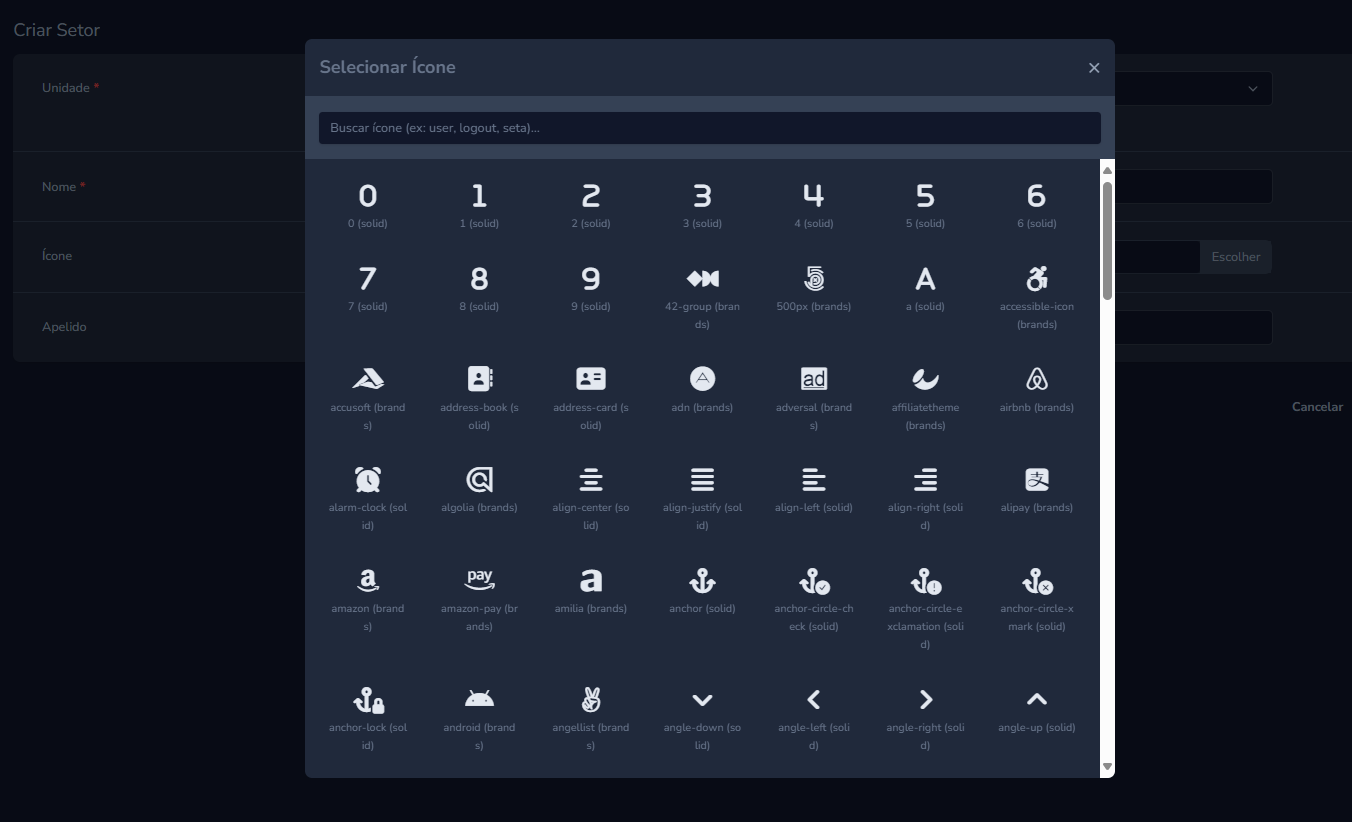
An advanced field for Laravel Nova to select Font Awesome icons, with server-side search, pagination, and localization support.
welkervinicius/nova-fa-icon is a Laravel package for an advanced field for laravel nova to select font awesome icons, with server-side search, pagination, and localization support..
It currently has 0 GitHub stars and 1.637 downloads on Packagist (latest version v1.1.1).
Install it with composer require welkervinicius/nova-fa-icon.
Discover more Laravel packages by welkervinicius
or browse all Laravel packages to compare alternatives.
Last updated



An advanced and performant field for Laravel Nova that allows you to search and select Font Awesome icons.
Built with a modern architecture, it ensures a fast and fluid user experience, even with thousands of icons.
icons.json (ideal for Pro versions) and to define the globally available icon styles.solid, brands, etc.) on a per-field basis directly in your Resource.You can install the package via Composer:
composer require welkervinicius/nova-fa-icon
For the icons to be displayed, you need to load the Font Awesome stylesheet.
The easiest way is via CDN.
In your app/Providers/NovaServiceProvider.php, inside the boot() method, add the following Nova::style() line after the parent::boot(); call:
public function boot()
{
    parent::boot();

    Nova::style('font-awesome', 'https://cdnjs.cloudflare.com/ajax/libs/font-awesome/7.0.1/css/all.min.css');
}
You can publish the configuration file to customize the icons.json path and the default styles.
php artisan vendor:publish --tag="nova-fa-icon-config"
You can also publish the translation files to add new languages or customize the text.
php artisan vendor:publish --tag="nova-fa-icon-lang"
Starting from v1.0.1, the configuration file now uses base_path() instead of __DIR__, ensuring that the published config file points to your application's root instead of the package directory.
If you’re using a Pro version of Font Awesome, or your own icon build, you should:
Publish the configuration file (if not already done):
php artisan vendor:publish --tag="nova-fa-icon-config"
Edit the config/nova-fa-icon.php file, and update the path to your own icons.json.
For example, Font Awesome Pro typically stores this file at:
'icon_file' => base_path('node_modules/@fortawesome/fontawesome-pro/metadata/icons.json'),
Or, if you have a custom JSON file elsewhere:
'icon_file' => base_path('resources/icons/custom-icons.json'),
The package will automatically load icons from the JSON path defined here.
This approach ensures full compatibility with any Font Awesome package (Free, Pro, or custom) while avoiding path resolution issues after publishing the configuration.
From v1.1.0, translations are fully namespaced and loaded via the Laravel package system. Supported languages:
(en)(pt_BR)(es)(it)(ru)Laravel Nova automatically selects the correct translation based on your panel locale.
In your Nova Resource, simply add the NovaFaIcon field.
use Welkervinicius\NovaFaIcon\NovaFaIcon;

public function fields(Request $request)
{
    return [
        // ...
        NovaFaIcon::make('Icon'),
    ];
}
You can restrict the available icon styles for a specific field using the styles() method.
NovaFaIcon::make('Brand Icon', 'brand_icon')
    ->styles(['brands']), // This will only show icons of the "brands" style.

NovaFaIcon::make('Action Icon', 'action_icon')
    ->styles(['solid', 'regular']), // This will only show solid and regular icons.
For cleaner code, you can use an alias in your import statement.
use Welkervinicius\NovaFaIcon\NovaFaIcon as FaIcon;

// ...
FaIcon::make('Icon')->styles(['solid']),
Please see CHANGELOG.md for more information on what has changed recently.
Please see CONTRIBUTING.md for details.
The MIT License (MIT). Please see the License File for more information.


