Manage your github issues from your FilamentPHP panel and share issues with others
tomatophp/filament-issues is a Laravel package for manage your github issues from your filamentphp panel and share issues with others.
It currently has 4 GitHub stars and 408 downloads on Packagist (latest version 5.0.0).
Install it with composer require tomatophp/filament-issues.
Discover more Laravel packages by tomatophp
or browse all Laravel packages to compare alternatives.
Last updated
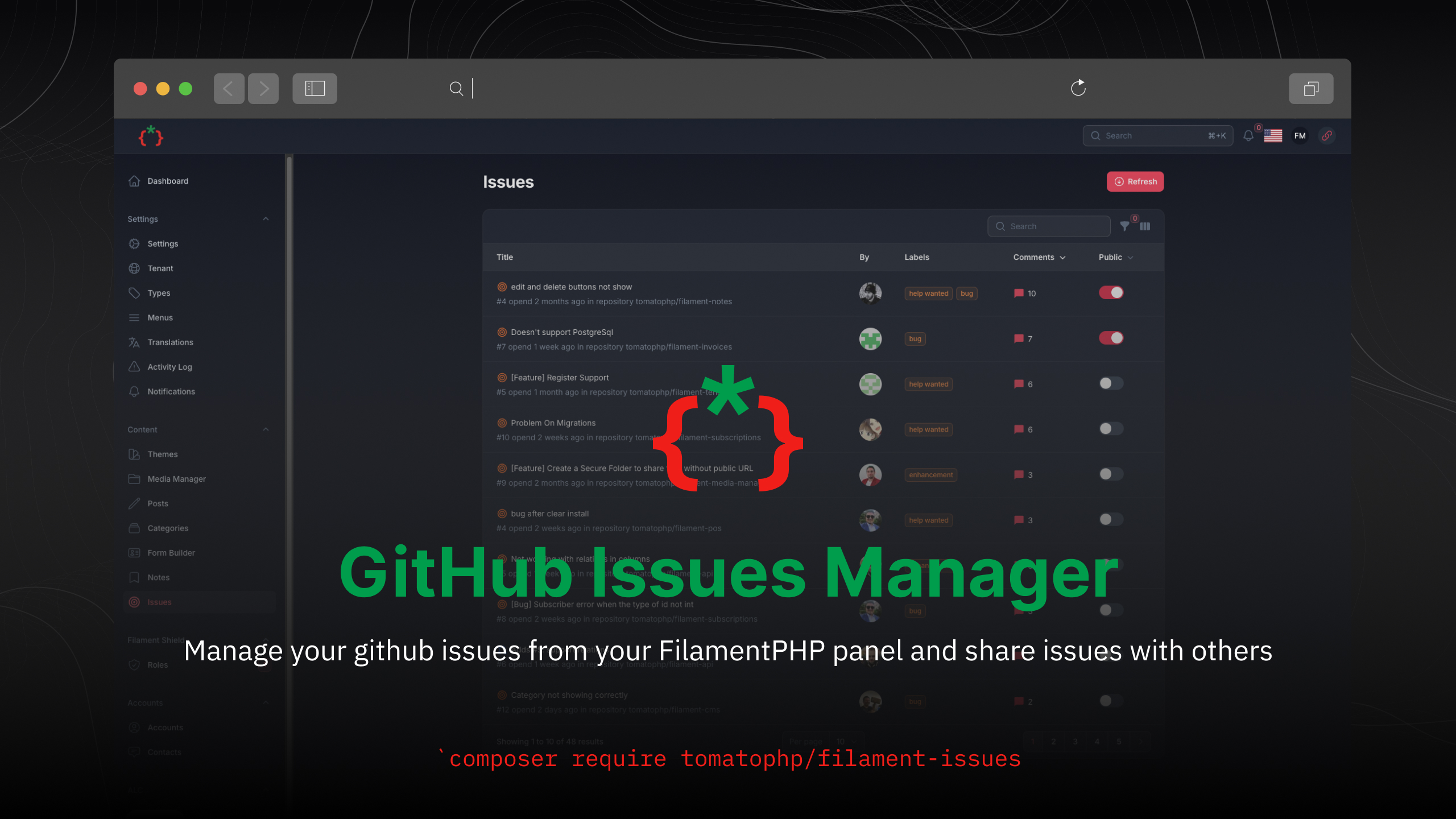


Manage your GitHub issues from your FilamentPHP panel and share issues with others
coming soon| Light | Dark |
|-------|------|
| 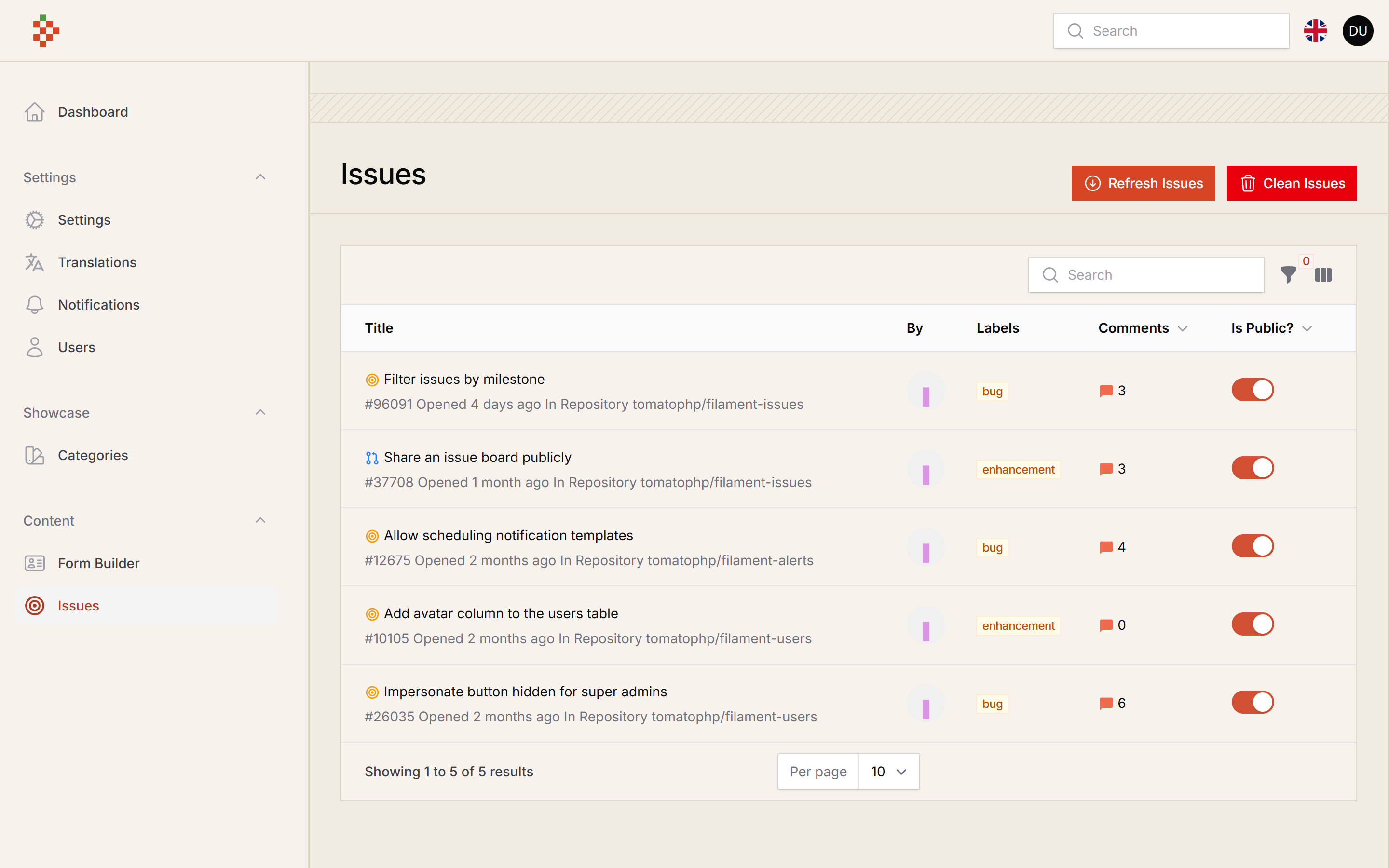 |
| 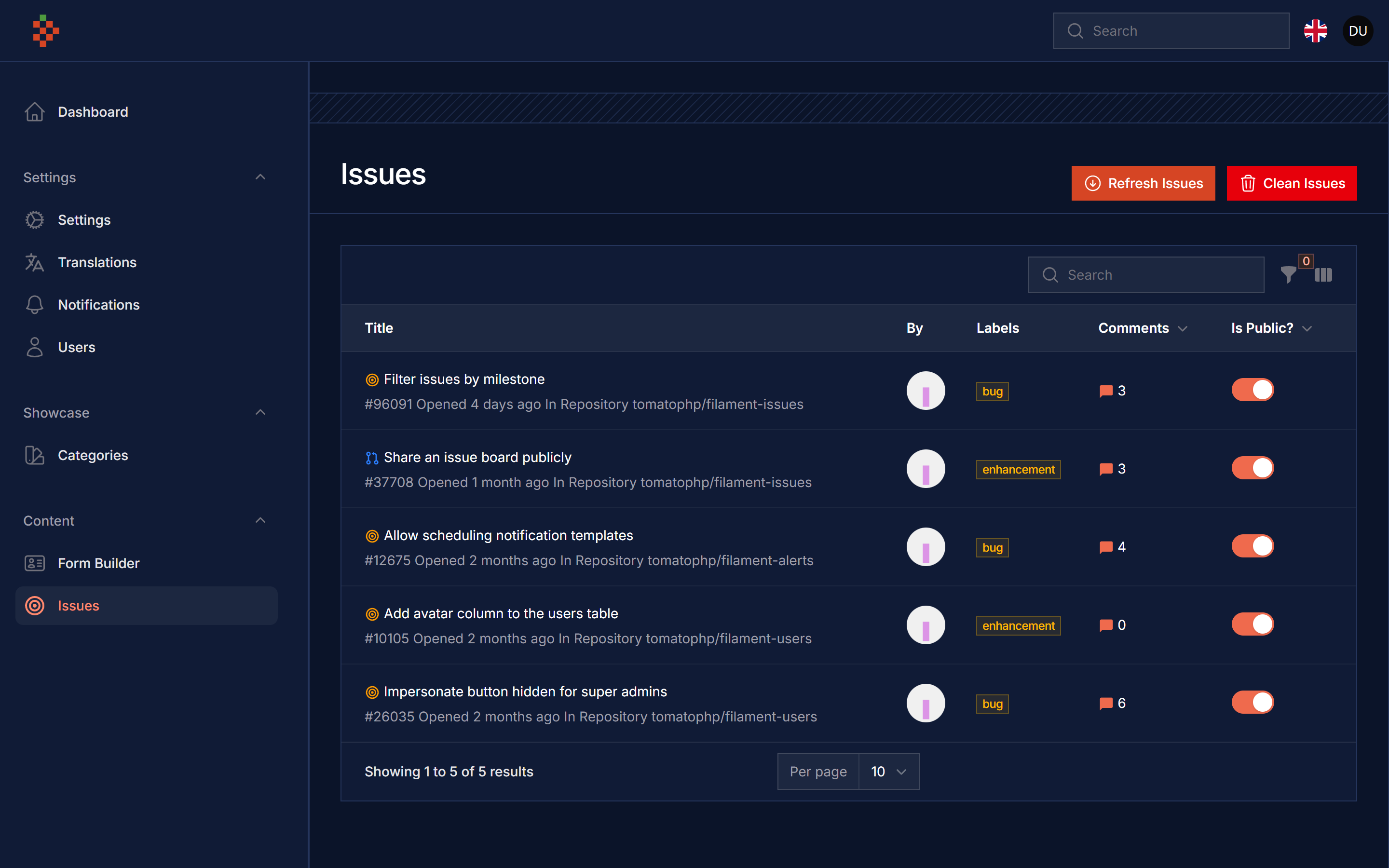 |
|
| Package version | Filament | Laravel | PHP | |-----------------|----------|-------------|------| | 5.x | 5.x | 12.x, 13.x | 8.2+ | | 1.x | 3.x | 10.x, 11.x | 8.1+ |
The Filament v3 line continues on the v3 branch.
composer require tomatophp/filament-issues
after install your package please run this command
php artisan filament-issues:install
if you are not using this package as a plugin please register the plugin on /app/Providers/Filament/AdminPanelProvider.php
->plugin(\TomatoPHP\FilamentIssues\FilamentIssuesPlugin::make())
now you need to publish the config file filament-issues
php artisan vendor:publish --tag="filament-issues-config"
now on your config file edit orgs and repos so you can select which organization and repository you want to fetch issues from
return [

    /*
    |--------------------------------------------------------------------------
    | Organizations
    |--------------------------------------------------------------------------
    |
    | List of organizations to search for issues.
    |
    */
    'orgs' => [],

    /*
    |--------------------------------------------------------------------------
    | Repositories
    |--------------------------------------------------------------------------
    |
    | List of repositories to search for issues.
    |
    */
    'repos' => [
        'tomatophp' => ['filament-issues', 'filament-cms'],
    ],

]
repos is keyed by the GitHub owner. Every repository is fetched once, even when it is also registered from a service provider or found through orgs.
now on your services.php config add this
'github' => [
    'username' => env('GITHUB_USERNAME'),
    'token' => env('GITHUB_TOKEN'),
],
and on your .env file add this
GITHUB_USERNAME=your-github-username
GITHUB_TOKEN=your-github-token
now clear your config
php artisan config:cache
after install you will find a refresh button on the issues resource you can click it the fetch your issues from GitHub make sure your queue is running
you can use this Issues on public by just use this component
<x-filament-issues />
or you can use direct issue card by use this component
<x-filament-issue-card :issue="$issue" />
we create a predefined command to refresh your issues by use this command
php artisan filament-issues:refresh
you can register your repo by use this code on your AppServiceProvider.php
public function boot()
{
    FilamentIssues::register([
        'tomatophp/filament-issues',
        'tomatophp/filament-cms',
        'tomatophp/filament-pms',
    ]);
}
you can use this package with Filament CMS Builder by use this code on your AppServiceProvider.php
public function boot()
{
    FilamentIssues::register(
        fn() => Post::query()
            ->where('type', 'open-source')
            ->pluck('meta_url')
            ->map(
                fn($item) => str($item)
                    ->remove('https://github.com/')
                    ->remove('https://www.github.com/')
                    ->toString()
            )
            ->toArray()
   );
}
you can publish config file by use this command
php artisan vendor:publish --tag="filament-issues-config"
you can publish views file by use this command
php artisan vendor:publish --tag="filament-issues-views"
you can publish languages file by use this command
php artisan vendor:publish --tag="filament-issues-lang"
you can publish migrations file by use this command
php artisan vendor:publish --tag="filament-issues-migrations"
The suite fakes every GitHub API call:
composer test
Checkout our Awesome TomatoPHP