A log viewer for Filament: read and clear Laravel log files from your panel
saade/filament-laravel-log is a Laravel package for a log viewer for filament: read and clear laravel log files from your panel.
It currently has 120 GitHub stars and 335.243 downloads on Packagist (latest version v4.2.0).
Install it with composer require saade/filament-laravel-log.
Discover more Laravel packages by saade
or browse all Laravel packages to compare alternatives.
Last updated


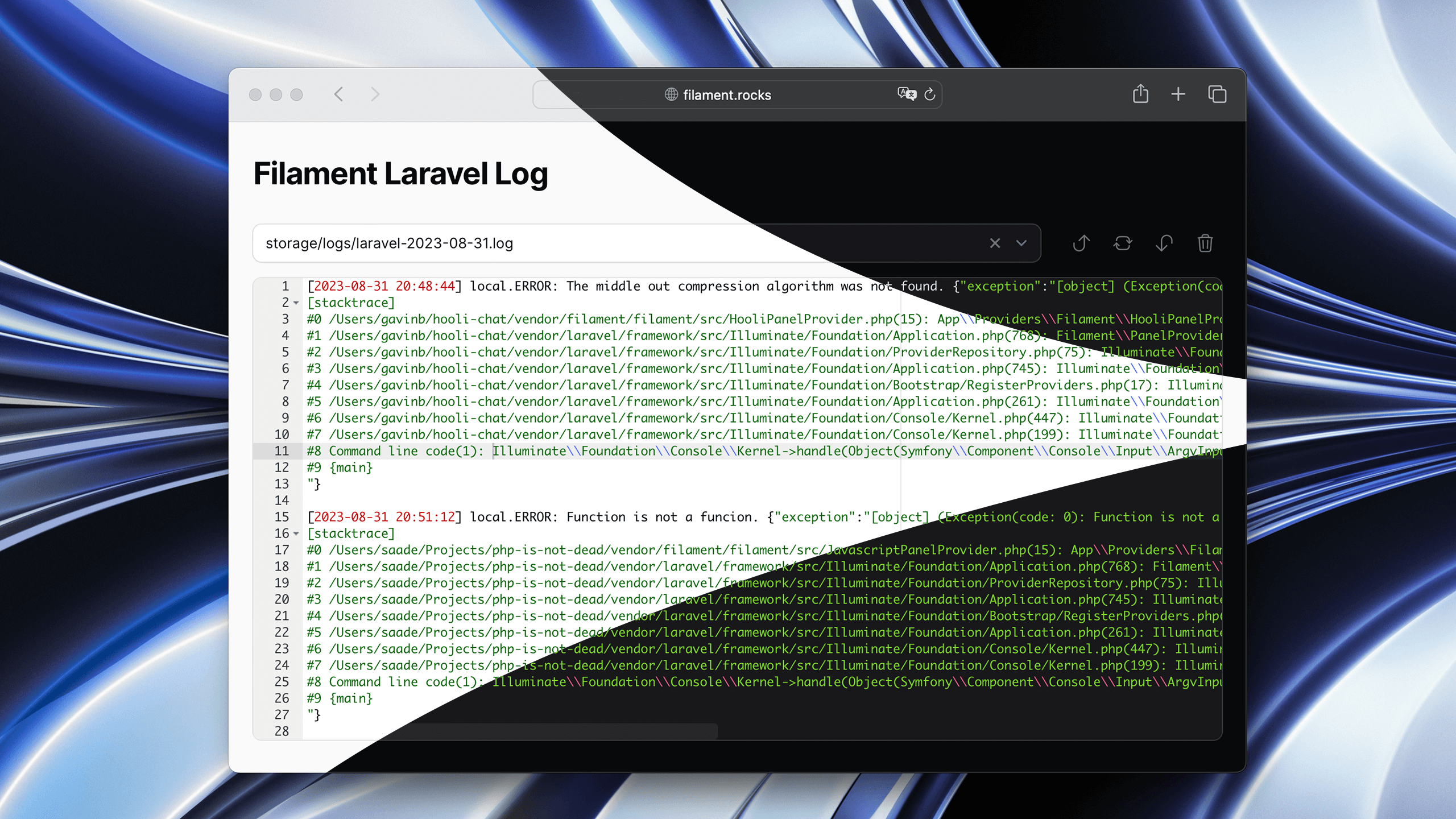
A log viewer for Filament: read your Laravel log files from a page of your panel.
.gz) log files| Plugin | Filament | Install |
| ------ | -------- | ------- |
| 4.x | 4.x, 5.x | composer require saade/filament-laravel-log:"^4.0" |
| 3.x | 3.x | composer require saade/filament-laravel-log:"^3.0" |
| 1.x | 2.x | composer require saade/filament-laravel-log:"^1.2" |
You can install the package via composer:
composer require saade/filament-laravel-log:"^4.0"
[!IMPORTANT] If you have not set up a custom theme and are using Filament Panels follow the instructions in the Filament Docs first.
After setting up a custom theme add the plugin's views to your theme css file or your app's css file if using the standalone packages.
@import '../../../../vendor/saade/filament-laravel-log/resources/css/filament-laravel-log.css';

@source '../../../../vendor/saade/filament-laravel-log/resources/views/**/*.blade.php';
Add the Saade\FilamentLaravelLog\FilamentLaravelLogPlugin to your panel config.
use Saade\FilamentLaravelLog\FilamentLaravelLogPlugin;

class AdminPanelProvider extends PanelProvider
{
    public function panel(Panel $panel): Panel
    {
        return $panel
            // ...
            ->plugin(
                FilamentLaravelLogPlugin::make()
            );
    }
}
FilamentLaravelLogPlugin::make()
    ->navigationGroup('System')
    ->navigationParentItem('Tools')
    ->navigationLabel('Logs')
    ->navigationIcon('heroicon-o-bug-ant')
    ->activeNavigationIcon('heroicon-s-bug-ant')
    ->navigationBadge('+10')
    ->navigationBadgeColor('danger')
    ->navigationBadgeTooltip('New logs available')
    ->navigationSort(1)
    ->title('Application Logs')
    ->slug('logs')
The page lists the files in storage/logs, including the ones in its subfolders. To read other directories, or to leave some files out:
FilamentLaravelLogPlugin::make()
    ->logDirs([
        storage_path('logs'),     // The default value
        '/var/log/supervisor',
    ])
    ->excludedFilesPatterns([
        '*2023*',
    ])
Only the files the page lists can be opened or cleared. An excluded file cannot be reached by typing its path.
The file picker lists the 5 most recently changed files; type part of a name to find the others. Change that number with the limit key of the config file.
[!WARNING] By default, every user who can sign in to the panel can open the logs page, and clear the files. Logs often hold personal data, tokens and stack traces, so restrict it.
Add an authorize callback to the plugin. It has to return true for the user to get in:
FilamentLaravelLogPlugin::make()
    ->authorize(
        fn (): bool => auth()->user()->isAdmin()
    )
With a gate or a permission, for example from spatie/laravel-permission:
FilamentLaravelLogPlugin::make()
    ->authorize(
        fn (): bool => auth()->user()->can('view-logs')
    )
The callback must return a boolean. A truthy value such as 1 from an is_admin column is treated as no access, so cast it: fn (): bool => (bool) auth()->user()->is_admin.
Do not add the plugin to a panel your customers sign in to, such as a tenant panel, without an authorize callback: the log files are the whole application's, not one tenant's.
Extend the page and turn clearing off, then tell the plugin to use it (see Customizing the log page):
use Closure;
use Saade\FilamentLaravelLog\Pages\ViewLog as BaseViewLog;

class ViewLog extends BaseViewLog
{
    protected bool | Closure $isClearable = false;
}
To customize the log page, you can extend the Saade\FilamentLaravelLog\Pages\ViewLog page and override its methods.
use Saade\FilamentLaravelLog\Pages\ViewLog as BaseViewLog;

class ViewLog extends BaseViewLog
{
    // Your implementation
}
use App\Filament\Pages\ViewLog;

FilamentLaravelLogPlugin::make()
    ->viewLog(ViewLog::class)
Publish the config file:
php artisan vendor:publish --tag="log-config"
This is the contents of the published config file:
<?php

return [
    /**
     * The tallest the editor grows, in lines, before it scrolls. The whole
     * file is loaded whatever this is set to.
     */
    'maxLines' => 50,

    /**
     * The height of the editor, in lines, when the file is shorter.
     */
    'minLines' => 10,

    /**
     * Editor font size.
     */
    'fontSize' => 12,

    /**
     * How many files the file picker lists before you search. Searching by
     * name finds the rest.
     */
    'limit' => 5,
];
The whole file is sent to the browser, so a very large log can be slow to open or run out of memory. Rotate your logs, for example with Laravel's daily channel.
Please see CHANGELOG for more information on what has changed recently.
Please see CONTRIBUTING for details.
Please review our security policy on how to report security vulnerabilities.
The MIT License (MIT). Please see License File for more information.