Laravel translation package with morph relationships and caching.
omaralalwi/lexi-translate is a Laravel package for laravel translation package with morph relationships and caching..
It currently has 72 GitHub stars and 27.143 downloads on Packagist (latest version 1.0.12).
Install it with composer require omaralalwi/lexi-translate.
Discover more Laravel packages by omaralalwi
or browse all Laravel packages to compare alternatives.
Last updated
Easily manage translations for multilingual Eloquent models using morph relationships and caching.
Its lightweight design and flexibility make it an excellent choice for applications needing multi-language support with minimal performance overhead.
You can install the package via Composer:
composer require omaralalwi/lexi-translate
php artisan vendor:publish --tag=lexi-translate
update table name (if you need, before migration) or any thing in config file if you need .
php artisan vendor:publish --tag=lexi-migrations
translations TableRun the following command to create the translations table:
php artisan migrate
To use the package, include the LexiTranslatable trait in your Eloquent models, and add translated attributes in $translatableFields array:
namespace App\Models;

use Illuminate\Database\Eloquent\Model;
use Omaralalwi\LexiTranslate\Traits\LexiTranslatable;

class Post extends Model
{
    use LexiTranslatable;

    protected $translatableFields = ['title', 'description'];
}
You can use setTranslations method to create or update bulk translations for a model in a single step:
$post = Post::find(1);
// must same following format
$post->setTranslations([
    'ar' => [
        'name' => 'العنوان باللغة العربية',
        'description' => 'الوصف باللغة العربية',
    ],

    'en' => [
        'name' => 'English language Title',
        'description' => 'description in English language',
    ],
]);
OR You can use setTranslation method to create or update one translation for a model in a single step:
$post->setTranslation('title', 'en', 'English Language Title');
$post->setTranslation('description', 'en', 'English Language description');

$post->setTranslation('title', 'ar', 'عنوان باللغة العربية');
$post->setTranslation('description', 'ar', 'وصف باللغة العربية');
Note you can add translated name and description for Post model even if Post model did not has (name and description) attributes .
Important Note: To get better performance , Do Not Depend on translations relation directly when return translations, because it did not use cache Never.
it did not use cache to keep it return MorphMany relation , it Return fresh translations from DB , So you can depend on it to create and update translations .
To retrieve translations, simply use transAttr method :
By default it return default app local, else you can specify local.
// get title and description in default app local
$title = $post->transAttr('title');
$title = $post->transAttr('description');

// or get title and description in specific local
$titleInArabic = $post->transAttr('title', 'ar');
$titleInEnglish = $post->transAttr('title', 'ar');
you can find more detail examples in Examples File .
you can use lexi_locales to get supported locals as array, depend on supported_Locales in config file.
it is easy to use the scopeSearchByTranslation and scopeFilterByTranslation methods:
$posts = Post::searchByTranslation('title', 'keyword')->get();
$posts = Post::searchByTranslation('title', 'keyword', 'ar')->get();
$posts = Post::filterByTranslation('description', 'Specific Translated Text')->get();
Disable Cache:
by default the cache enabled, you can disable it by make use_cache = false , in config/lexi-translate.php file
Cache Management:
Lexi Translate automatically caches translations to boost performance.
Also Cache is cleared automatically when translations are updated or deleted by booted function in Translation model .
Clear Model Cache Manually:
If you need to manually clear the cache, you can do so $model->clearTranslationsCache() for ex :
$post->clearTranslationsCache();
Note:
Please note that the supported_Locales setting in the configuration file defines the locales that will be handled by the cache by default.
If you add additional locales for translations, make sure to include them in the supported_Locales list to ensure proper cache handling. Failing to do so may result in cache issues for locales not added to the list.
(this is Optional)
This section is optional , it is additional features to handle language switching for API Or Web , without need to install another package .
LexiTranslate provides built-in middlewares to handle locale switching seamlessly for both web and API requests. These middlewares simplify the process of dynamically setting the application's locale based on user input or request headers.
The WebLocalized middleware is designed to handle locale switching for web requests. It determines the locale based on the following order of priority:
locale route parameter.locale query string parameter.locale stored in cookies.// Other middlewares...
'localized.web' => \Omaralalwi\LexiTranslate\Middleware\WebLocalized::class,
Register Middleware in Laravel
just add locale prefix for all routes that want to apply multilingual for them .
Route::prefix('{locale}')->middleware('localized.web')->group(function () {
     // your routes
});
OR
Route::middleware(['localized.web'])->group(function () {
    Route::get('/{locale}/dashboard', function () {
        return view('dashboard');
    });
});
The ApiLocalized middleware is designed for API requests. It sets the application's locale based on the value of a custom header defined in your configuration file (api_locale_header_key). If the header is not provided, it defaults to the application's default locale.
 // Other middlewares...
'localized.api' => \Omaralalwi\LexiTranslate\Middleware\ApiLocalized::class,
Route::middleware(['localized.api'])->group(function () {
        // your routes
});
table_name to any name as you want.To run the tests for this package:
composer test
If Lexi Translate doesn't fully meet your application's needs, you may also consider these popular alternatives:
Spatie Laravel Translatable:
Stores translations in a JSON column within the main table. Best suited for smaller applications with simple multilingual requirements.
Astrotomic Laravel Translatable:
Similar to Spatie's package but includes additional features like better locale handling. It’s an excellent choice for lightweight multilingual support.
Both packages offer robust solutions for managing translations but rely on JSON-based storage. If you require scalable, relational storage with built-in caching and dynamic morph relationships, Lexi Translate is the better choice for large-scale or performance-critical applications.
Please see CHANGELOG for more information on recent updates.
We welcome contributions! If you'd like to contribute, please check the CONTRIBUTING guide for details.
If you discover any security-related issues, please email [email protected] instead of using the issue tracker.
The MIT License (MIT). Please see the License File for more information.
Thanks to these wonderful people for contributing to this project! 💖

Omar Al Alwi 🏆 Creator |

Hamza Hasan 💻 Contributor |

Dawood Bawazir 💻 Contributor |

KeithTurkowski 💻 Contributor |
Want to contribute? Check out the contributing guidelines and submit a pull request! 🚀
 Gpdf Open Source HTML to PDF converter for PHP & Laravel Applications, supports Arabic content out-of-the-box and other languages..
 laravel Taxify Laravel Taxify provides a set of helper functions and classes to simplify tax (VAT) calculations within Laravel applications.
 laravel Deployer Streamlined Deployment for Laravel and Node.js apps, with Zero-Downtime and various environments and branches.
 laravel Trash Cleaner clean logs and debug files for debugging packages.
 laravel Time Craft simple trait and helper functions that allow you, Effortlessly manage date and time queries in Laravel apps.
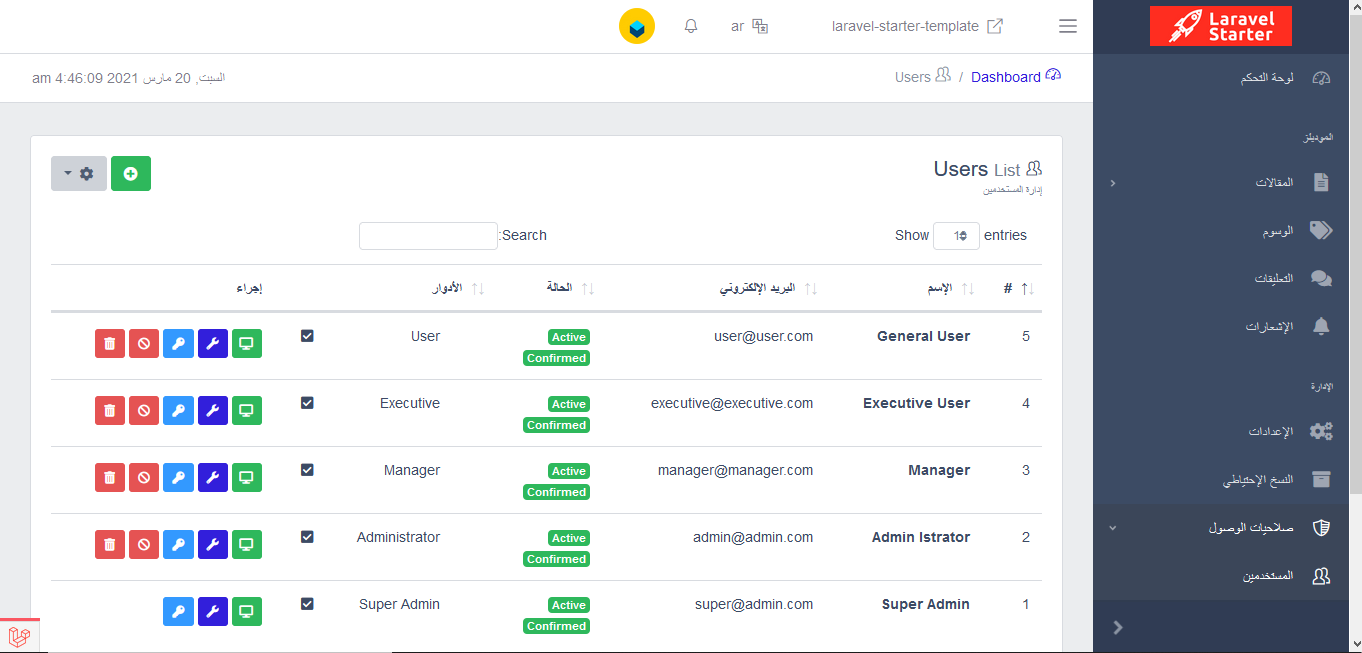 Laravel Startkit Laravel Admin Dashboard, Admin Template with Frontend Template, for scalable Laravel projects.