larapeak/inertiajs-data-tables is a Laravel package for this is my package inertiajsdatatables.
It currently has 1 GitHub stars and 29 downloads on Packagist (latest version v0.1).
Install it with composer require larapeak/inertiajs-data-tables.
Discover more Laravel packages by larapeak
or browse all Laravel packages to compare alternatives.
Last updated
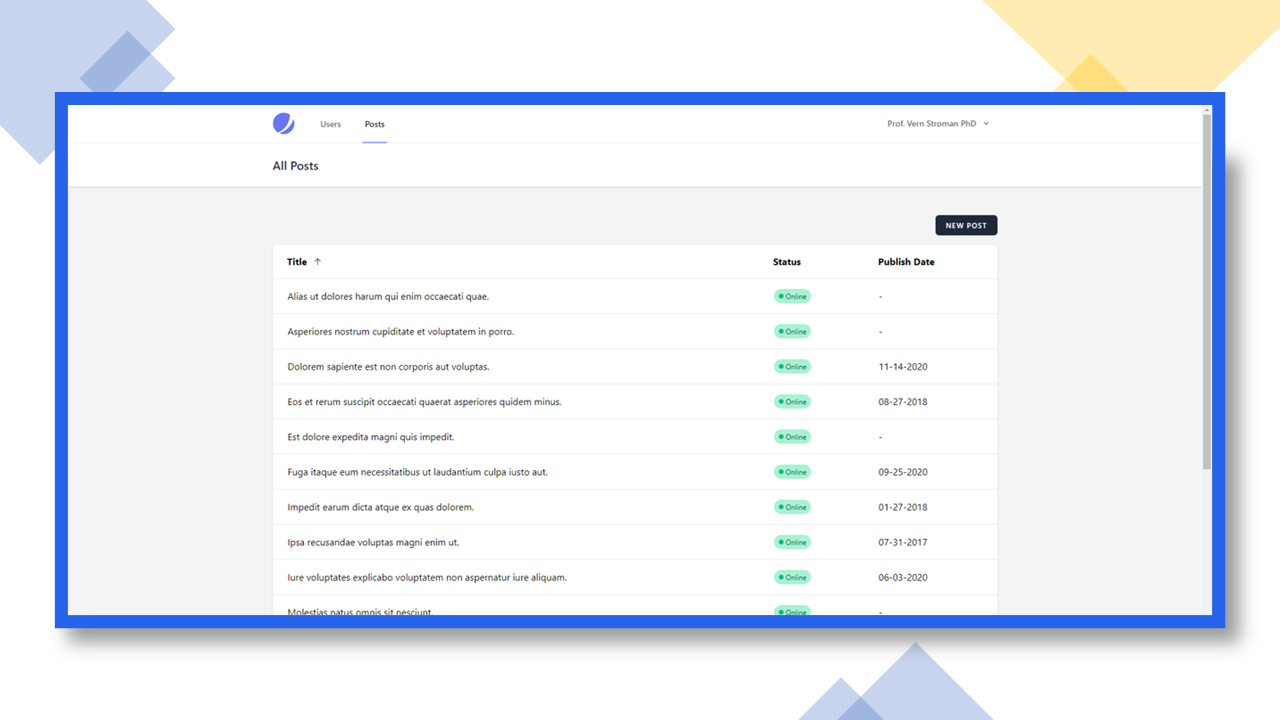




This package provides a trait that will generate a datatable for your model. It also provides Vue components that you can use with Inertiajs.
You can install the package via composer:
composer require larapeak/inertiajs-data-tables
You can publish the Vue components with following command:
php artisan vendor:publish --provider="Larapeak\InertiajsDataTables\InertiajsDataTablesServiceProvider" --tag="assets"
The Vue components will be published in:
resources\js\Shared\DataTables
Your Eloquent models should use the Larapeak\InertiajsDataTables\HasSorting trait.
Here's an example of how to implement the trait:
namespace App\Models;

use Larapeak\InertiajsDataTables\HasSorting;
use Illuminate\Database\Eloquent\Model;

class YourEloquentModel extends Model
{
    use HasSorting;

    public $sortables = [
        'field1', 'field2', 'field3'
    ]
}
On your Vue page you can use the DataTable component like this:
<template>
    <data-table :tableData:"data" :tableFields="tablefields" :filters="filters" model="posts" slug></data-table>
</template>

<script>
    import DataTable from '@/Shared/DataTables/DataTable'

    export default {
        components: {
            DataTable,
        },

        props: {
            data: Array,
            filters: Object,
        },

        data() {
            return {
                tableFields: [
                    {
                        id: 'field1',
                        name: 'Field1',
                        type: 'text',
                    },
                    {
                        id: 'field2',
                        name: 'Field2',
                        type: 'text',
                    },
                    {
                        id: 'field3',
                        name: 'Field3',
                        type: 'text',
                    }
                ]
            }
        }
    }
</script>
composer test
Please see CHANGELOG for more information on what has changed recently.
Please see CONTRIBUTING for details.
Please review our security policy on how to report security vulnerabilities.
The MIT License (MIT). Please see License File for more information.


