icemont/sling is a Laravel package for sling - simple laravel invoice generator..
It currently has 8 GitHub stars and 7 downloads on Packagist (latest version v3.2).
Install it with composer require icemont/sling.
Discover more Laravel packages by icemont
or browse all Laravel packages to compare alternatives.
Last updated
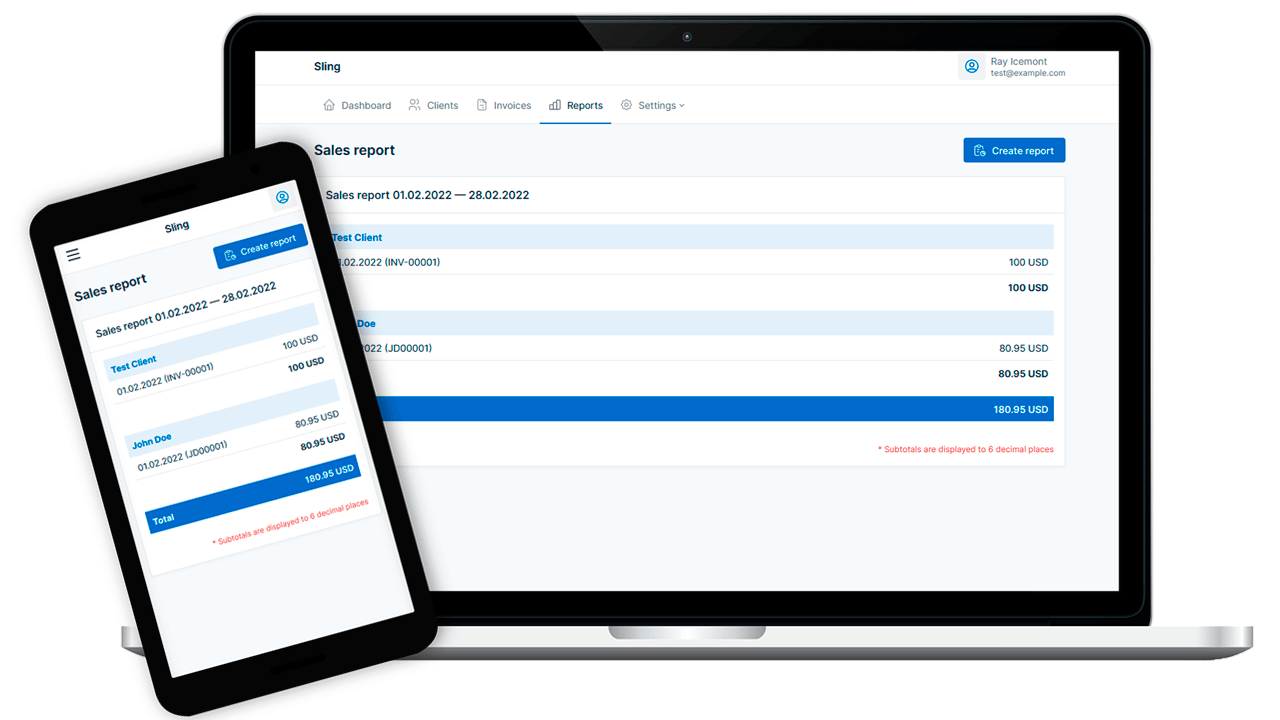


Sling — open-source web application that helps you create invoices and track income.
Sling was originally created for personal use, for convenient accounting of income and invoice generation for Individual Entrepreneur with "Small Business" status in Georgia (tax is paid on total revenue every month).
This application will be useful for businesses and individuals with a similar taxation system, or just for generating invoices and income accounting. Sling is based on the Laravel PHP framework.
Screenshots of the deployed app are available here.
Sling page on the developer's website: https://icemont.dev/my-scripts/sling
Clone the project repository:
$ git clone https://github.com/Icemont/sling.git
Next, go to the project data directory and install the dependencies using the composer:
$ cd ./sling
$ composer install --no-dev
Then create in the project root directory a settings file .env by copying it from .env.example and edit the necessary options in it, such as database connection settings.
Generate your application key with the command:
$ php artisan key:generate --ansi
Perform database migrations to create the initial database tables structure:
$ php artisan migrate
Complete installation by adding currencies to the database using one of the commands of your choice:
$ php artisan sling:install
# Or:
$ php artisan db:seed --class=CurrenciesSeeder
Minimized JS and CSS assets are already available in the current repository, but you can install development versions of assets by installing dependencies and executing commands:
$ npm install
$ npm run dev
Then you can generate production-ready assets using the command:
$ npm run build
Initial configuration does not differ from the typical Laravel project configuration, so you can refer to the official Laravel framework documentation in case of difficulties.
Install Docker on your host by using this guide: https://docs.docker.com/install/
Install Docker Compose by using this guide: https://docs.docker.com/compose/install/
Clone the project repository:
$ git clone https://github.com/Icemont/sling.git
Next, go to the project data directory and create in the project root directory a settings file .env by copying it from .env.example and edit the necessary options in it:
$ cd sling
$ cp .env.example .env
Next, run commands below:
$ docker-compose up -d
$ ./docker-compose/setup.sh
You can change some basic application settings in the file: config/app.php, such as pagination or default currency:
    /*
    |--------------------------------------------------------------------------
    | Sling config options
    |--------------------------------------------------------------------------
    */

    'per_page' => [
        'clients' => 25,
        'invoices' => 25,
        'payment_methods' => 25,
    ],

    'default_currency' => 'GEL',
    'invoice_index_length' => 5,
If you need to add a new currency to the database, you can add it to the $currencies array in the database/seeders/CurrenciesSeeder.php file and then run the command:
$ php artisan db:seed --class=CurrenciesSeeder
📌 There are no specific deadlines and guarantees for the implementation.
The contents of this repository is released under the MIT license.


