Livewire Package to display Toast Notifications
ascsoftw/livewire-toast is a Laravel package for livewire package to display toast notifications.
It currently has 48 GitHub stars and 547.949 downloads on Packagist (latest version 1.0.1).
Install it with composer require ascsoftw/livewire-toast.
Discover more Laravel packages by ascsoftw
or browse all Laravel packages to compare alternatives.
Last updated
Livewire Package to display Toast Notification based on TALL Stack.
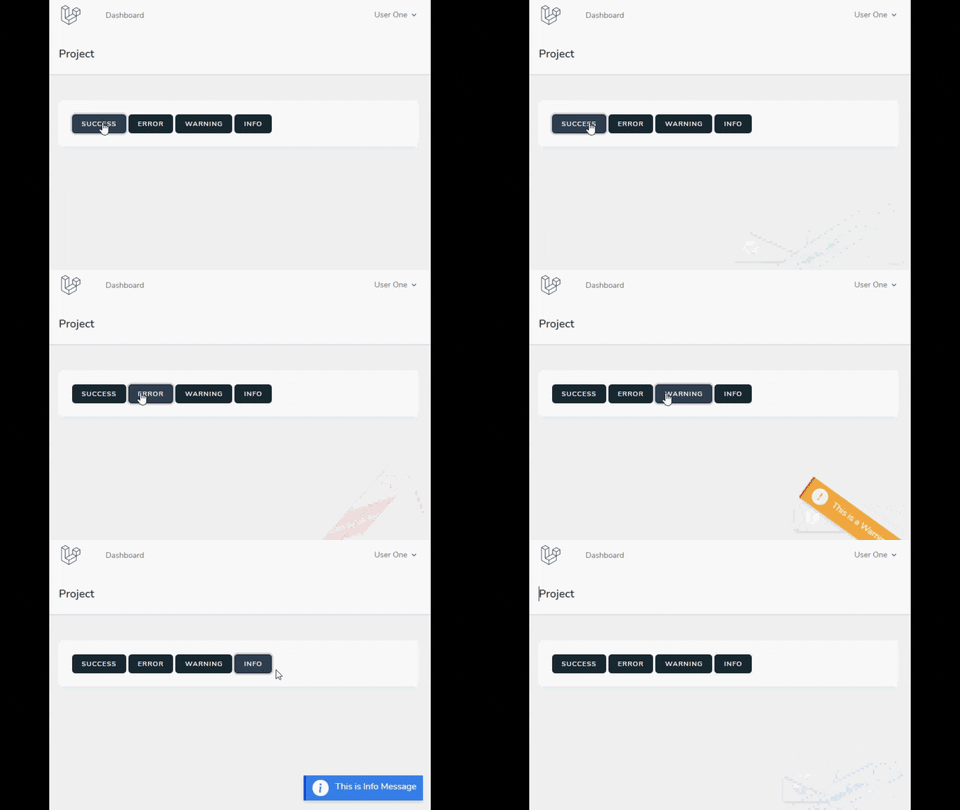
Make sure that Livewire is installed properly on your project.
Make sure that TailwindCSS is installed properly on your project.
Make sure that AlpineJS is installed properly on your project.
You can install the Package using Composer
composer require ascsoftw/livewire-toast
Put Livewire-component @livewire('livewire-toast') anywhere into your app layout.
You can then call the Livewire Toast as below:
From Livewire Component
$this->emitTo('livewire-toast', 'show', 'Project Added Successfully'); //Will show Success Message
$this->emitTo('livewire-toast', 'showError', 'There was an Error!'); //Will show error. showError, showWarning, showInfo, showSuccess are supported
$this->emitTo('livewire-toast', 'show', ['type' => 'warning', 'message' => 'This is warning!']); //Can also pass type and message as array
Using Session Flash
session()->flash('livewire-toast', 'Project Added Successfully');
session()->flash('livewire-toast', ['type' => 'error', 'message' => 'There was an Error!']);
From Livewire View
$emitTo('livewire-toast', 'show', 'Project Added Successfully'); //Will show Success Message
$emitTo('livewire-toast', 'showError', 'There was an Error!'); //Will show error. showError, showWarning, showInfo, showSuccess are supported
$emitTo('livewire-toast', 'show', {'type' : 'warning', 'message' : 'This is warning!'}); //Can also pass type and message as object
From JS
Livewire.emitTo('livewire-toast', 'show', 'Project Added Successfully'); //Will show Success Message
Livewire.emitTo('livewire-toast', 'showError', 'There was an Error!'); //Will show error. showError, showWarning, showInfo, showSuccess are supported
Livewire.emitTo('livewire-toast', 'show', {'type' : 'warning', 'message' : 'This is warning!'}); //Can also pass type and message as object
If you want to override the configurations, you must publish the assets using below command
php artisan vendor:publish --tag=config
This will publish the configuration file at config/livewire-toast.php. You can override any configurations.
| Name | Type | Default | Description | Options|
| ---------------- | ------------- | ------------------ | ------------------------------------------------------------ |--------|
| type | String | success | Notification Type | success, warning, error, info|
| position | String | bottom-right | Part of the screen where notifications will pop out | bottom-right, bottom-left, top-right, top-left|
| duration | Number | 3000 | Time (in ms) to keep the notification on screen (if negative - notification will stay forever or until clicked) |
| showIcon | Boolean | true | Whether to show icon next to message. ||
| hideOnClick | Boolean | true | Close notification when clicked ||
| color.bg.success | String | green | Color for Success Notification. Must be available in TailwindCss||
| color.bg.warning | String | yellow | Color for Warning Notification. Must be available in TailwindCss||
| color.bg.info | String | blue | Color for Info Notification. Must be available in TailwindCss||
| color.bg.error | String | red | Color for Error Notification. Must be available in TailwindCss||
| text_color | String | white | Text Color used by TailwindCss class. If using color other than white or black, provide full color like red-300.||
| transition | Boolean | true | Whether to use Transition to hide/show Notification ||
| transition_type | String | appear_from_above | Transition Type | appear_from_below, appear_from_above, appear_from_left, appear_from_right, zoom_in, rotate|
You can also publish the View using below command
php artisan vendor:publish --tag=views
This will publish the Views in resources/views/vendor/livewire-toast directory which you can then customize.
Your messages don't get styles while using TailwindCss? Please publish your view. Therefore Laravel Mix compiler will find package related views and will purge CSS accordingly.
Pull requests are welcome. For major changes, please open an issue first to discuss what you would like to change.


